





准备钱包
- Unzip PirateCash Core file to the location of your choice. You will run the wallet from this location.
-
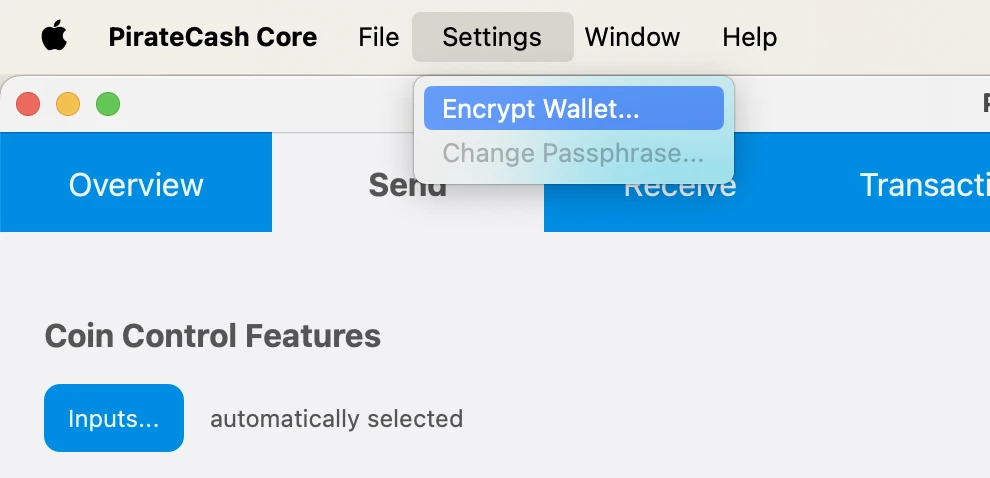
Encrypt your wallet: Settings -> Encrypt Wallet. Choose a password. Write it down. Restart your wallet.
- Backup Wallet: File -> Backup Wallet
-
Click Window -> Console to open the console. Type the following command into the console to generate a new PirateCash address for the collateral:
getnewaddress MN1 getnewaddress MN1 -
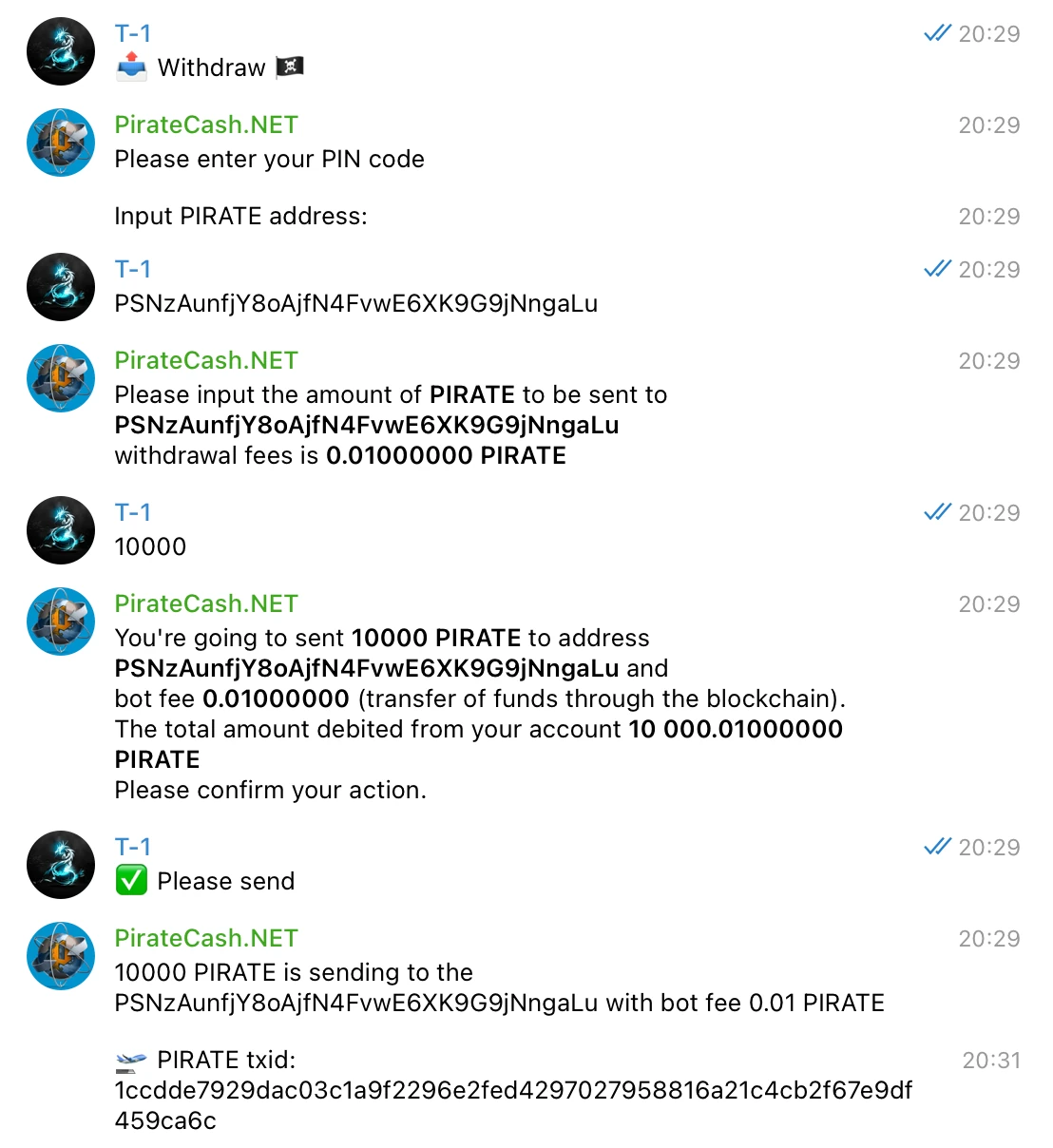
To send 10,000 PIRATE to this address via @piratecash_bot, you need to go to the 💵 Balance → PirateCash → 📤 Withdraw️ menu or execute the command /withdraw_pirate.
Create a Linux droplet on DigitalOcean
- Register for an account, create new “droplet” – Digital Ocean’s term
- 选择 Ubuntu 26.04 (LTS)
- Select 2 GB/1vCPU – sufficient and only $12/month
- Select any datacenter region you like. Create!
- Write down your droplet IP address
- Check your email for initial VPS root password
-
Access VPS via PuTTY – this will allow you to copy and paste commands to your VPS. The web console will not. Mac users can use Terminal. Launchpad -> Search -> Terminal -> Type: ssh root@IP
ssh root@SERVER_IP -
P2P: 63636/tcp
ufw allow 63636/tcp ufw enable -
Create a Swap File:
fallocate -l 1G /swapfile
chmod 600 /swapfile
mkswap /swapfile
swapon /swapfile
echo "/swapfile none swap sw 0 0" >> /etc/fstab
来自 masternode 仓库的自动配置
生成 BLS 密钥后,配置节点的最简单方式是使用我们 masternode 仓库中的脚本。
- 购买 10,001 PIRATE,例如在 PancakeSwap。
- 如果你已经持有代币,请通过 @piratecash_bot 将其兑换为原生 PIRATE。
- 在托管服务商处启动服务器,例如通过这个托管链接。
- 通过 SSH 访问服务器。
-
克隆仓库:https://github.com/piratecash/masternode。
git clone https://github.com/piratecash/masternode.git cd masternode - 在 PirateCash 中使用 bls generate 生成 BLS 密钥。将 secret 值写入 Docker 内 /home/pirate/.piratecore/piratecash.conf 或主机系统 /opt/node/piratecash/piratecash.conf 中的 masternodeblsprivkey=xxx。
-
运行 ./install_masternode.sh 进行自动配置。
./install_masternode.sh - 重启 Docker。
- 通过 PirateCash Core 激活 masternode,然后继续下面的激活步骤。
Masternode configuration file setup
第二种方式:手动配置。 这种方法更复杂;仅在你不想使用自动配置脚本时使用。
BLS
- Enter RPC console: Window –> Console
-
Type: bls generate
bls generate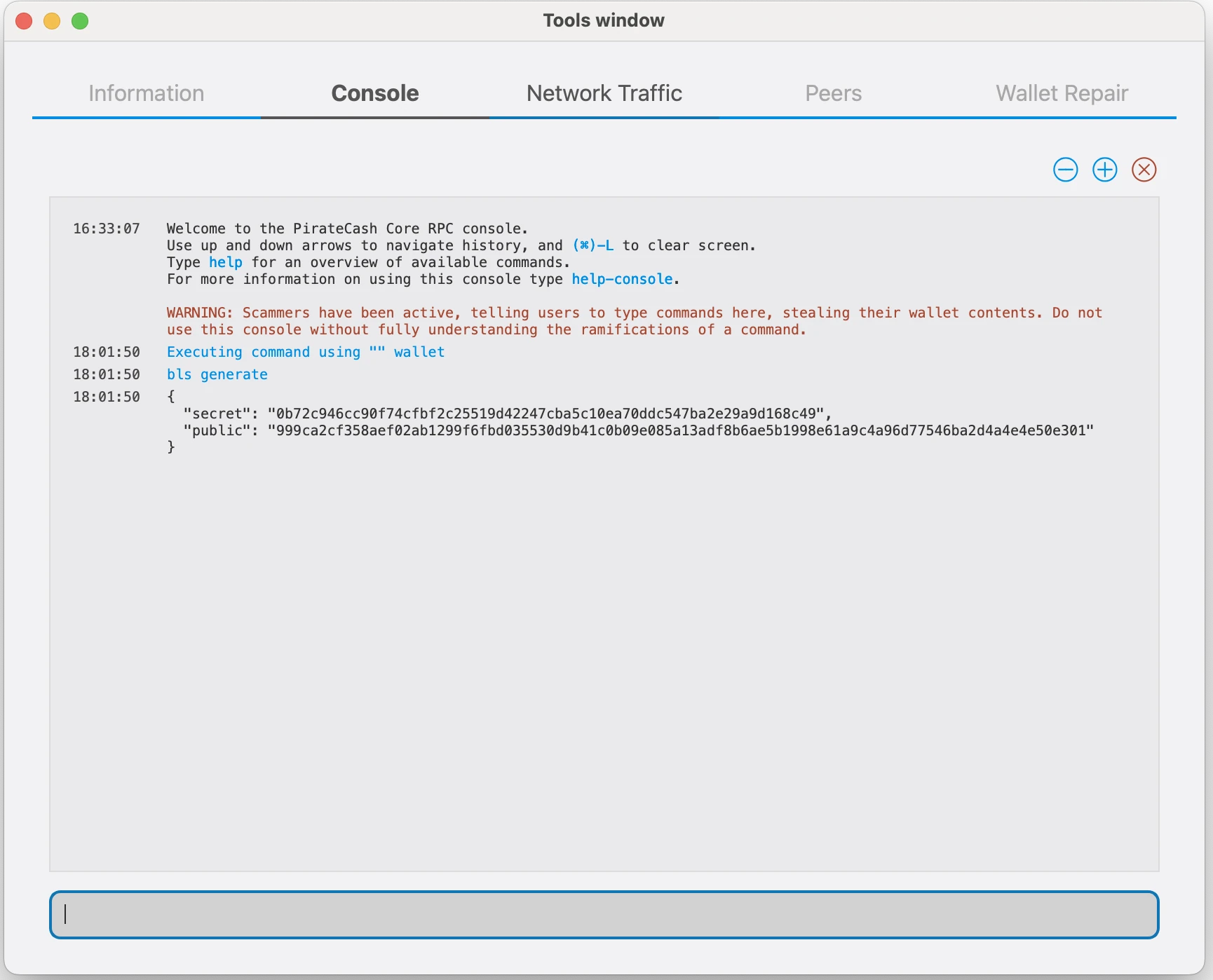
PirateCash Core
-
Goto to Droplet and please Download archive
wget https://github.com/piratecash/piratecash/releases/download/v23.1.8-pirate/piratecashcore-23.1.8-x86_64-linux-gnu.tar.gztar -xzf piratecashcore-23.1.8 -x86_64-linux-gnu.tar.gz -
Create directory mkdir ~/.piratecore
mkdir -p ~/.piratecore nano ~/.piratecore/piratecash.conf - Create file ~/.piratecore/piratecash.conf with following content:
rpcuser=RPC_USER
rpcpassword=RPC_PASSWORD
corsarpcuser=CORSA_RPC_USER
corsarpcpassword=CORSA_RPC_PASSWORD
corsarpcport=46464
rpcallowip=127.0.0.1
server=1
rest=1
listen=1
txindex=1
listenonion=0
daemon=1
maxconnections=700
masternodeblsprivkey=BLS_SECRET_KEY
externalip=SERVER_IP
请按如下方式替换标记为 XXXXXXX 的字段:
rpcuser:输入任意数字或字母字符串,不允许使用特殊字符
rpcpassword:输入任意数字或字母字符串,不允许使用特殊字符
corsarpcuser:输入本地 corsa-chat 服务的 RPC 用户名
corsarpcpassword:输入本地 corsa-chat 服务的 RPC 密码
corsarpcport:使用为 corsa-chat 配置的 RPC 端口;默认值为 46464
externalip:这是你的 VPS IP 地址
请在控制台执行 bls generate 后填写 masternodeblsprivkey 字段,然后重启 piratecashd 守护进程。
corsa-chat 要求
PirateCash Core v19 的 corsa-chat 要求
从 PirateCash Core v19 开始,masternode 还必须在同一台服务器上运行本地 corsa-chat/Corsa 节点。masternode 仓库中的自动配置会同时配置 PirateCash Core 和 corsa-chat。该要求在 PIP-0001 中说明。
启动 PirateCash Core 之前,请下载并启动 Corsa 守护进程。使用与 piratecash.conf 中 corsarpcuser 和 corsarpcpassword 相同的 RPC 用户名和密码:
wget https://github.com/piratecash/corsa/releases/download/v1.0.62/corsa-linux-amd64.tar.bz2tar -xjf corsa-linux-amd64.tar.bz2
nohup env \
CORSA_LISTEN_ADDRESS=:64646 \
CORSA_BOOTSTRAP_PEERS=65.108.204.190:64646 \
CORSA_RPC_HOST=127.0.0.1 \
CORSA_RPC_PORT=46464 \
CORSA_RPC_USERNAME=CORSA_RPC_USER \
CORSA_RPC_PASSWORD=CORSA_RPC_PASSWORD \
./corsa-node > corsa-node.log 2>&1 &
Corsa 运行后,启动 PirateCash 守护进程。
./piratecashdSentinel
新的 masternode 不再需要配置 Sentinel。PirateCash Core v20 将 deprecated Sentinel 支持,因此你不需要安装 Sentinel 或配置 Sentinel cron 任务。
ProRegTx
-
After the transaction is completed, various keys related to the transaction need to be extracted for later inclusion in a configuration file and registration transaction. This registration transaction serves as proof, recording the configuration on the blockchain and ensuring the masternode’s inclusion in the deterministic list. Please execute masternode outputs
masternode outputs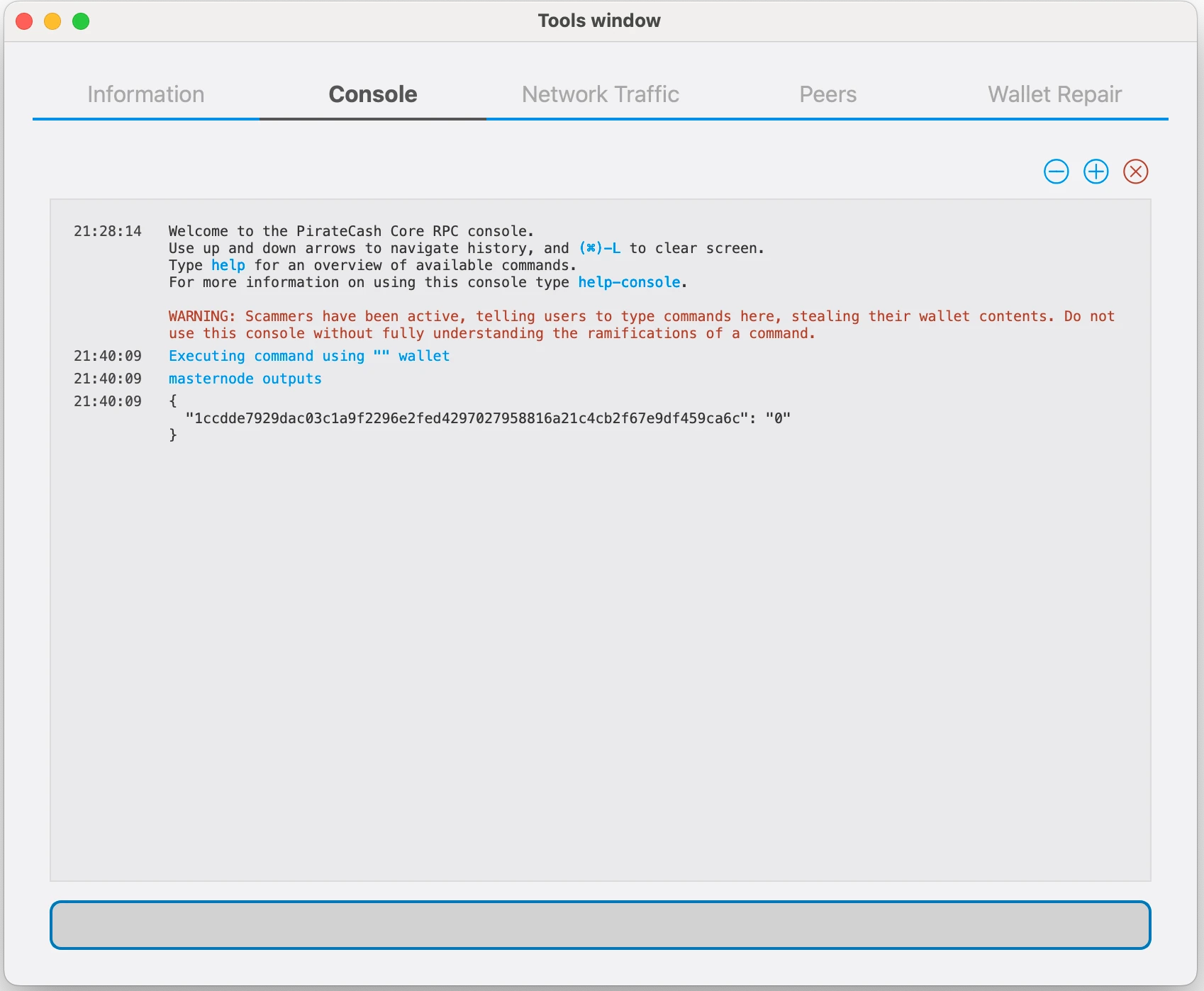
-
Prepare a ProRegTx transaction
First, we need to get a new, unused address from the wallet to serve as the owner key address (ownerKeyAddr). This is not the same as the collateral address holding 10,000 PIRATE. Generate a new address as follows:
getnewaddress owner_keygetnewaddress owner_key -
This address can also be used as the voting key address (votingKeyAddr). Alternatively, you can specify an address provided to you by your chosen voting delegate, or simply generate a new voting key address as follows:
getnewaddress voting_keygetnewaddress voting_key -
Then either generate or choose an existing address to receive the owner’s masternode payouts (payoutAddress). It is also possible to use an address external to the wallet:
getnewaddress masternode_payoutsgetnewaddress masternode_payouts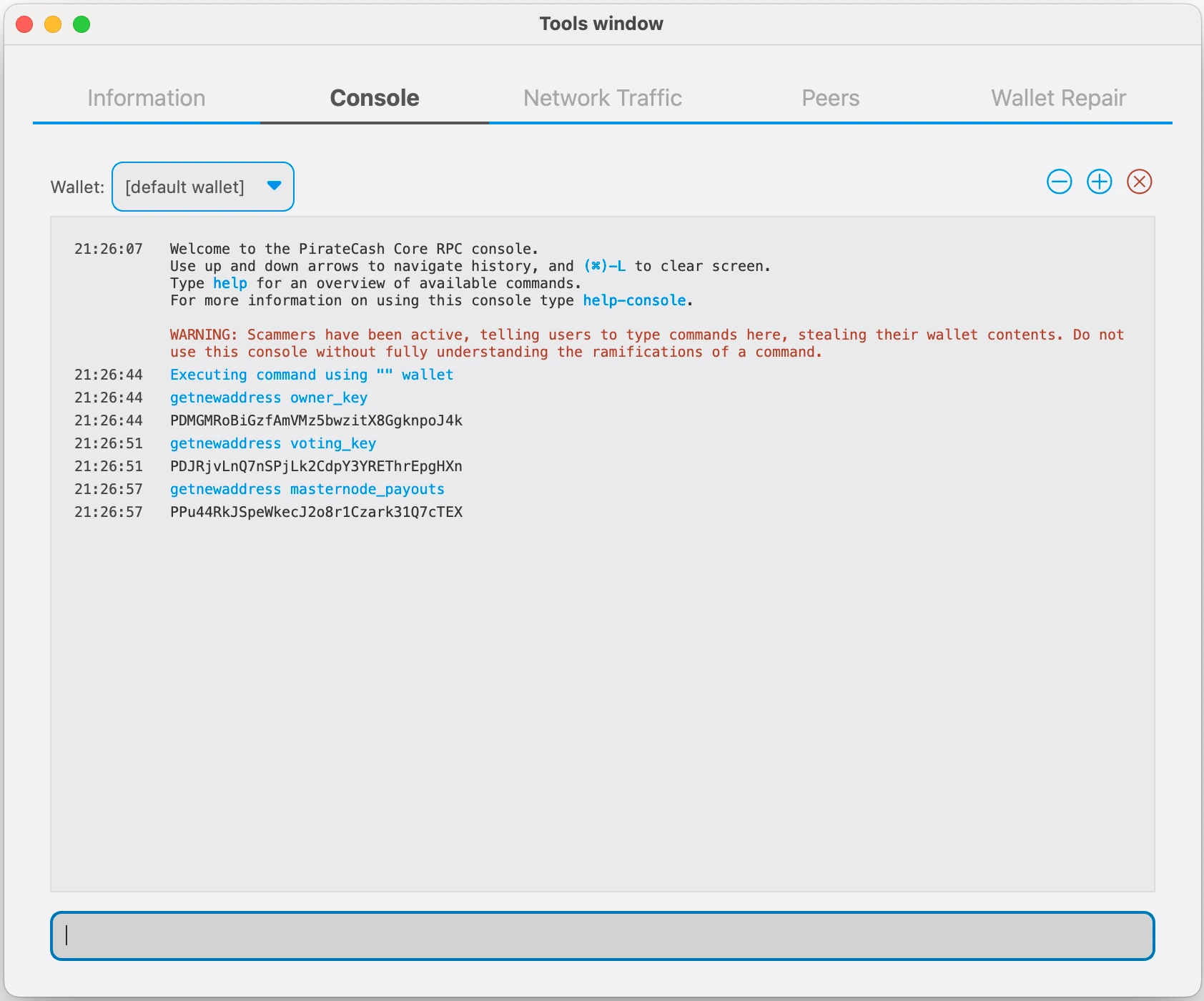
-
You can also you need to generate and fund another address as the transaction fee source(feeSourceAddress). If you selected an external payout address, you must specify a fee source address:
getnewaddress pay_feesgetnewaddress pay_fees -
We will now prepare an unsigned ProRegTx special transaction using the protxregister_prepare command. This command has the following syntax
protx register_prepare collateralHash collateralIndex ipAndPort ownerKeyAddr operatorPubKey votingKeyAddr operatorReward payoutAddress feeSourceAddress
Open a text editor such as notepad to prepare this command. Replace each argument to the command as follows:
collateralHash: The txid of the 10,000 PIRATE collateral funding transaction
collateralIndex: The output index of the 10,000 PIRATE funding transaction
ipAndPort: Masternode IP address and port, in the format x.x.x.x:63636
ownerKeyAddr: The new PirateCash address generated above for the owner/voting address
operatorPubKey: The BLS public key generated above (or provided by your hosting service)
votingKeyAddr: The new PirateCash address generated above, or the address of a delegate, used for proposal voting
operatorReward: The percentage of the block reward allocated to the operator as payment
payoutAddress: A new or existing PirateCash address to receive the owner’s masternode rewards
feeSourceAddress: Address used to fund ProTx fee. payoutAddress will be used if not specified.protx register_prepare COLLATERAL_TX_HASH COLLATERAL_OUTPUT_INDEX SERVER_IP:63636 OWNER_ADDRESS OPERATOR_PUBLIC_KEY VOTING_ADDRESS 0 PAYOUT_ADDRESS FEE_SOURCE_ADDRESS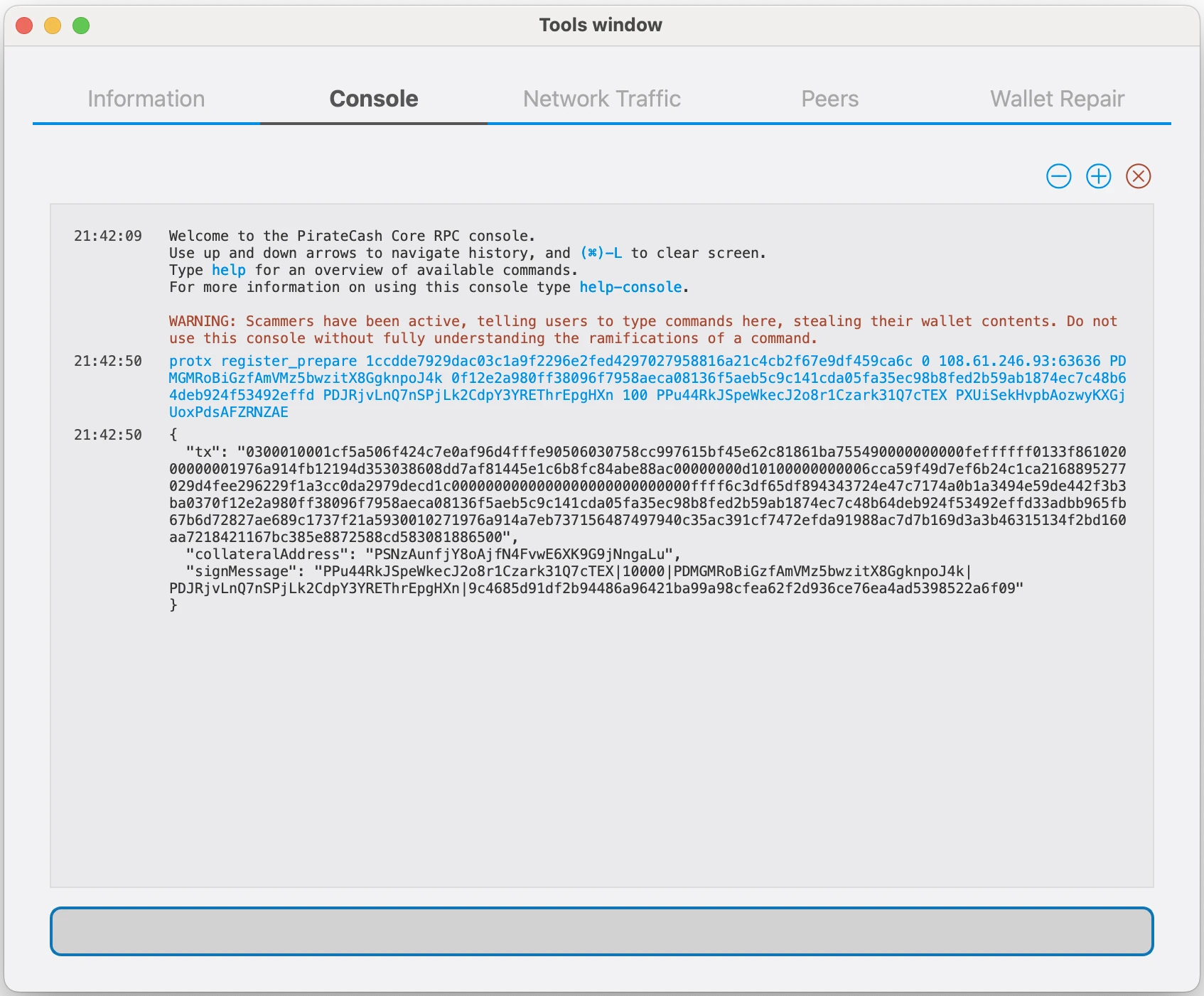
-
Sign the ProRegTx transaction
We will now sign the content of the signMessage field using the private key for the collateral address as specified in collateralAddress. Note that no internet connection is required for this step, meaning that the wallet can remain disconnected from the internet in cold storage to sign the message. In this example we will again use PirateCash Core, but it is equally possible to use the signing function of a hardware wallet. The command takes the following syntax:
signmessage collateralAddress signMessagesignmessage COLLATERAL_ADDRESS SIGN_MESSAGE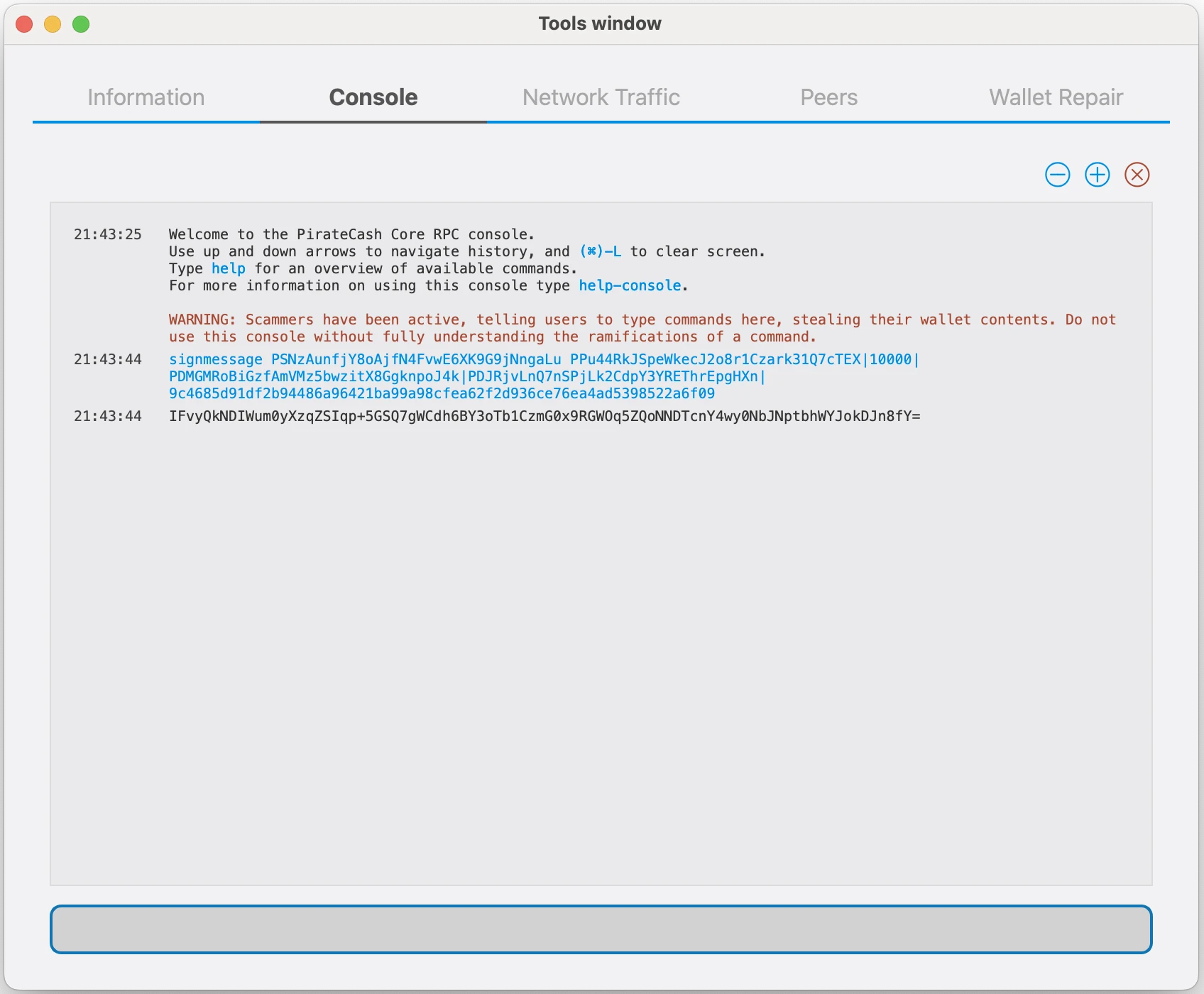
-
Submit the signed message
We will now submit the ProRegTx special transaction to the blockchain to register the masternode. This command must be sent from a PirateCash Core wallet holding a balance on either the feeSourceAddress or payoutAddress, since a standard transaction fee is involved. The command takes the following syntax:
protx register_submit tx sig
tx: The serialized transaction previously returned in the tx output field from the protx register_prepare command
sig: The message signed with the collateral key from the signmessage commandprotx register_submit PREPARED_TX SIGNATURE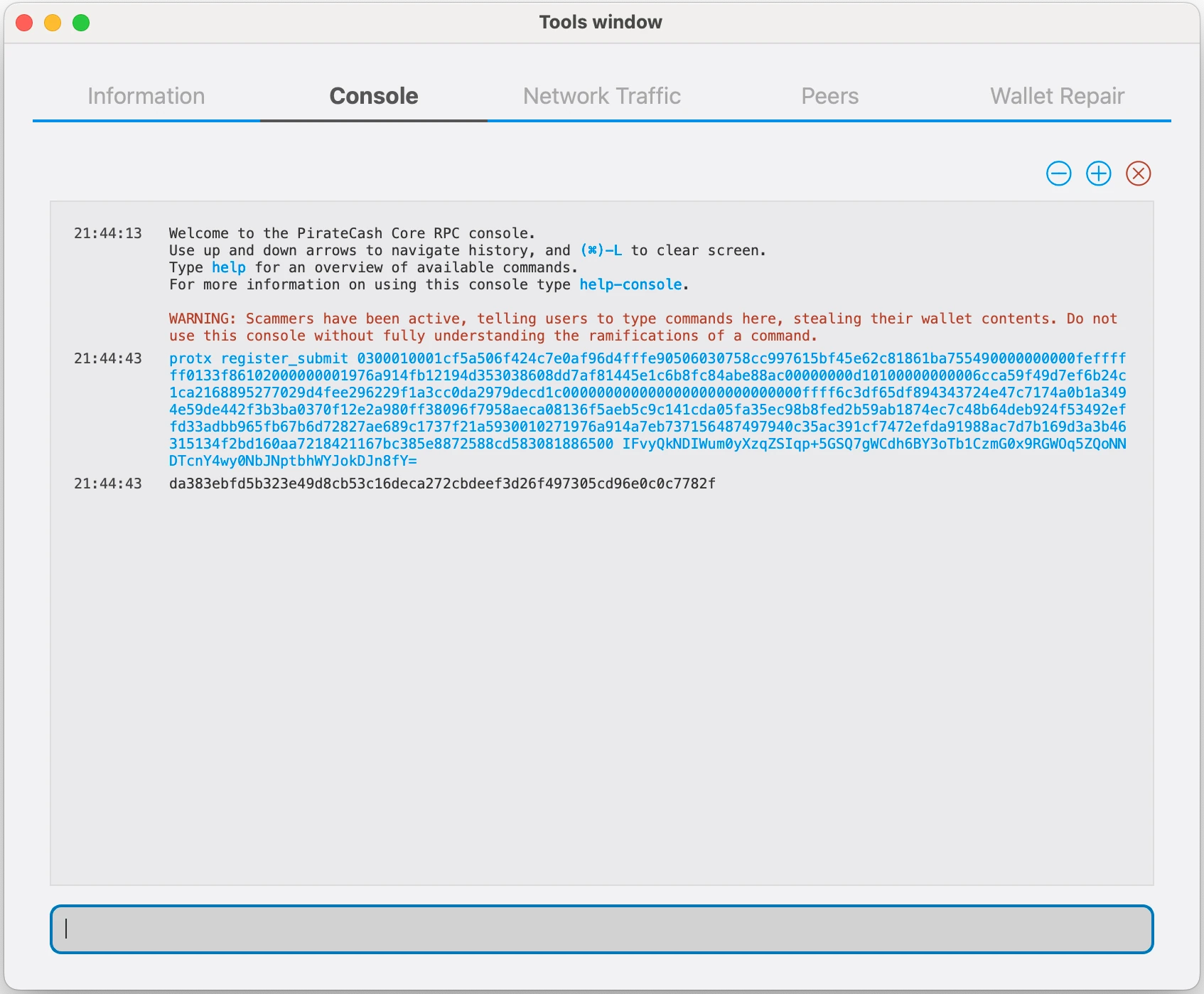
-
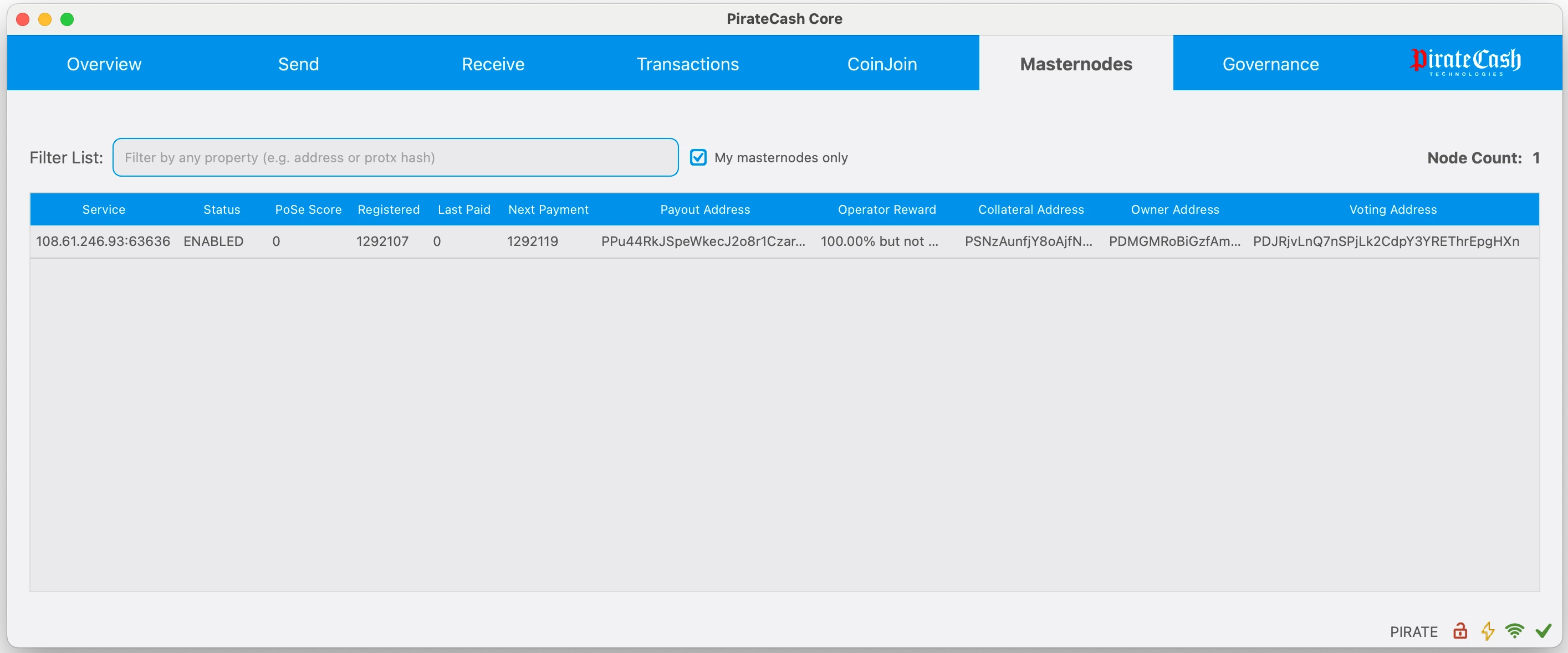
Your masternode is now registered and will appear on the Deterministic Masternode List after the transaction is mined to a block.
更新已安装的自动 masternode
如果你之前是从 masternode 仓库安装节点,请使用本节。仓库中的 piratecash-main/piratecash.conf 只是模板;节点实际使用的配置在 /opt/node/piratecash/piratecash.conf。
- 通过 SSH 连接服务器,并进入仓库目录,通常是 ~/masternode。
- 执行 git pull。如果 Git 提示 piratecash-main/piratecash.conf 中的本地修改会被覆盖,请先确认是否只在这个模板文件里保存了重要值。
- 如果这些值已经在 /opt/node/piratecash/piratecash.conf 中,请用 git checkout -- piratecash-main/piratecash.conf 丢弃本地模板修改。
- 再次执行 git pull,下载新文件,包括 update_masternode.sh。
- 执行 ./update_masternode.sh。脚本会更新 Docker 配置,保留或创建 Corsa RPC 凭据,写入 .env 和 /opt/node/piratecash/piratecash.conf,然后重新构建并启动容器。
cd ~/masternode
git status
git checkout -- piratecash-main/piratecash.conf
git pull
./update_masternode.sh
脚本完成后,检查容器是否正在运行:
docker compose ps如果你确实只修改了仓库中的模板文件,请在执行 git checkout -- 前复制这些值,并在更新后重新写入 /opt/node/piratecash/piratecash.conf。